The Best On-Device AI Mac Apps in 2026
On-device AI keeps your data private and costs nothing — it runs right on your Mac. Here are the best on-device AI apps in 2026, and how to use them.
What is on-device AI — and why does it matter?
On-device AI runs entirely on your Mac instead of sending your text to a server. On Apple Silicon Macs with Apple Intelligence, apps can tap Apple's built-in Foundation Models — which means no API keys, no subscription, no account, and nothing leaves your machine. For anything involving the things you copy and write, that privacy and zero-cost combination is hard to beat.
FlowShelf — on-device AI for everything you copy
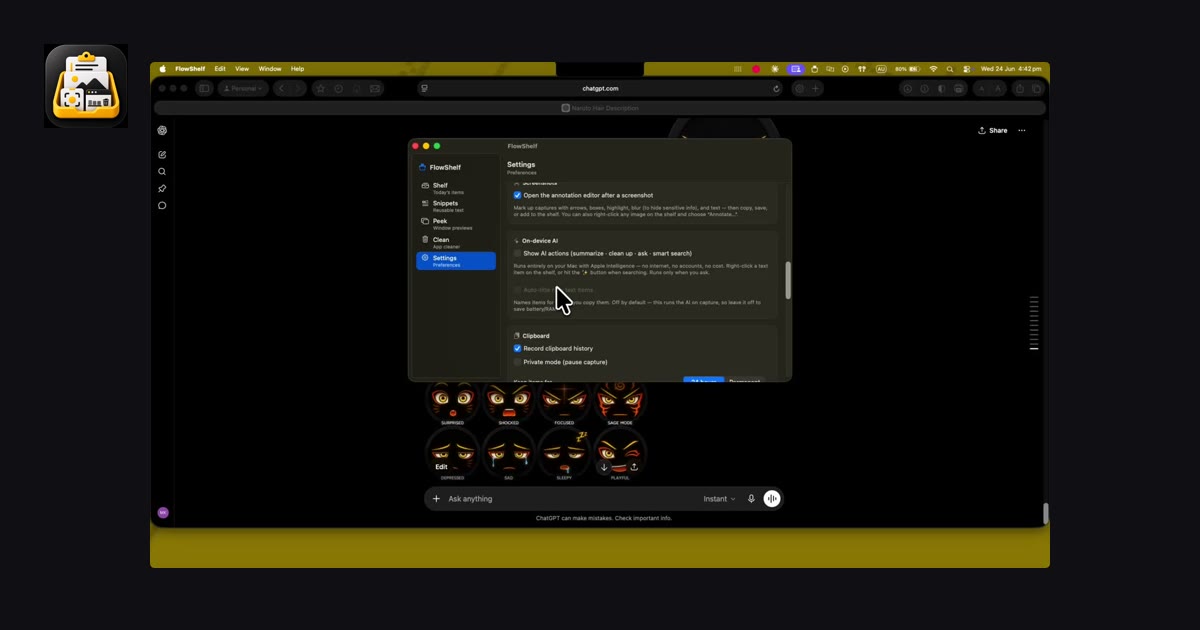
FlowShelf builds Apple's on-device models right into your clipboard shelf. Right-click any text and you can:
- Summarize, clean up, or auto-title it.
- Ask AI to reply, explain, translate, make it formal or casual, or run a custom prompt.
- Smart-search your shelf in plain language — "that tax link" finds it by meaning, not just keywords.
- Summarize your day — a friendly recap of everything you collected.
It runs only when you ask, so it never sits in the background draining your battery. It's free, and it requires an Apple-Intelligence-capable Mac with Apple Intelligence enabled.
Get FlowShelf free
One private menu-bar app — shelf, window tools, screenshots, snippets & on-device AI. macOS 14+ · Apple Silicon & Intel.
Download FlowShelf — FreeWhat macOS already gives you for free
Before installing anything, know what's built in. Writing Tools (rewrite, proofread, summarize) work in most text fields on Apple-Intelligence Macs. Live Text pulls text out of any image. Visual Look Up identifies objects. These are all on-device and free — great for one-off tasks, but they don't bring everything you copy into one searchable place the way a clipboard app does.
On-device AI, compared
| Tool | Cost | Runs on-device | Works on your clipboard |
|---|---|---|---|
| FlowShelf | Free | Yes | Yes |
| Apple Writing Tools | Free | Yes | In text fields only |
| Cloud AI apps | Subscription | No (server) | Varies |
Bottom line
On-device AI is the privacy-friendly, zero-cost way to get AI help on your Mac. Use Apple's built-in Writing Tools for quick edits — and FlowShelf when you want that same private AI working across everything you copy and collect.
Frequently asked questions
Is on-device AI free?
Yes — Apple's on-device Foundation Models are free on Apple-Intelligence-capable Macs, and FlowShelf uses them at no cost.
Does on-device AI send my data to the cloud?
No. On-device models run locally, so your prompts and results never leave your Mac.
What do I need to use FlowShelf's AI?
An Apple Silicon Mac running macOS 26 with Apple Intelligence turned on. On older Macs the AI actions are simply hidden.